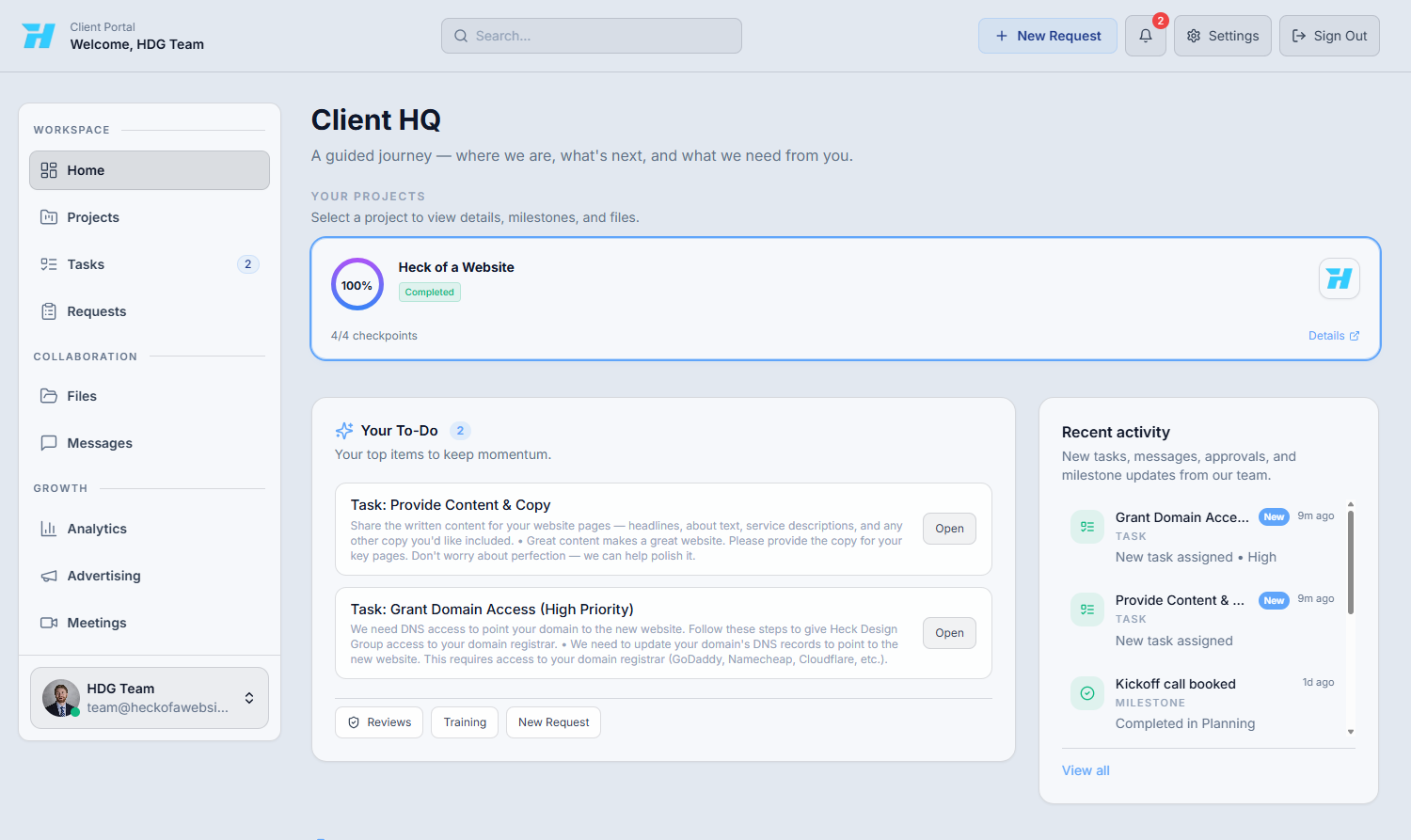
Check the Your To-Do card first
Items that need your input appear in Your To-Do. Examples include providing website copy, granting domain access, reviewing a page, or finishing discovery questions.
Use this page to learn where to submit requests, upload files, complete tasks, schedule meetings, view billing, and review advertising results during your project.
The dashboard shows the active project, anything waiting on you, recent activity, and quick links into requests, reviews, files, analytics, advertising, and meetings.
Items that need your input appear in Your To-Do. Examples include providing website copy, granting domain access, reviewing a page, or finishing discovery questions.
Requests are for updates and new work. Files are for uploads. Tasks is the deeper task and review workspace. Meetings is where you book time. Advertising shows campaign performance and leads when available.
When in doubt, start with the closest match below. The team can always move or reorganize the item after it is submitted.
Send a message or create a request with the context you have. It is better to send the information once than to wait because you are unsure where it belongs.